
Apps to install on your phone before you go to China

Many of the apps you use at home don't work in China, and some are hard to download once you've arrived. Your phone will do a lot of the work on your trip, so install and set up these before you leave.
Getting online
Google (including Gmail, Maps and the Play Store), WhatsApp, Instagram, Facebook and YouTube are blocked on Chinese mobile networks and Wi-Fi. Sort out how you'll get online before you arrive:
- Roaming or a travel eSIM: with roaming from your home provider, or many travel eSIMs, your data goes through a network outside China, so your usual apps keep working on mobile data. They still won't work on hotel or café Wi-Fi. Install and test the eSIM before you fly.
- A Chinese SIM: cheaper for a long stay and fast, but blocked apps won't work on it. You need your passport to buy one.
Download an offline copy of anything you might need, such as booking confirmations and your accommodation's address in Chinese.
Paying
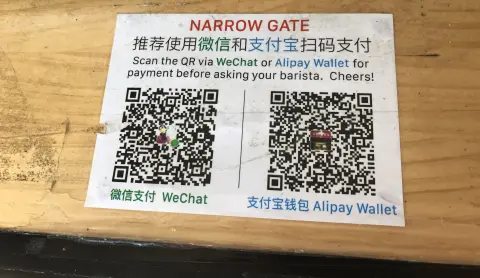
- Alipay: the easiest way for visitors to pay for almost anything, with a card from home. It's in English, and has metro QR codes for many cities, DiDi taxis and a translator built in.
- WeChat: China's main messaging app, with WeChat Pay built in. Hotels, guides and restaurants often use it to message you, take bookings or let you order from the table.
Link a card and verify your passport in both before you go: see WeChat Pay and Alipay: paying with your phone in China.
Maps and getting around
- Amap (高德地图, Gaode): China's most used map app, with accurate public transport and walking directions. It has an English version, though some parts are still in Chinese.
- Apple Maps: on an iPhone in China it uses Amap's maps, in English, and works well. Google Maps is blocked, and its maps of China are often out of date.
- DiDi: China's ride-hailing app, for taxis and private cars. There's an English app, and you can also book it inside Alipay without installing anything else.
- Metroman: metro maps and route planning for most Chinese cities, in English.
Trains, flights and hotels
- Trip.com: in English, and takes foreign cards, for booking trains, flights and hotels.
- Railway 12306 (铁路12306): China Railway's own app, with an English version for foreign passport holders. It's where every train ticket comes from, and shows the latest times and seats.
Train tickets are in your name and linked to your passport: see Security checks, ID and banned items on China's public transport.
Translation
- Most signs, menus and taxi drivers use Chinese only. A translation app that can read text with the camera, and translate what you say, makes a big difference.
- Baidu Translate and Microsoft Translator work in China. Google Translate only works offline there, so download its Chinese (Simplified) language pack before you go.
- Pleco: an excellent Chinese dictionary that works offline, and can look up characters from a photo or by drawing them.
Before you go
- Install everything at home, where all the app stores work, and sign in to each app while you can still receive texts at your home number.
- Update your phone and apps before you leave.
- Carry a power bank: you'll use your phone for paying, maps and tickets all day. If you'll fly within China, check the rules on power banks first.





Comments
No comments yet.