
WeChat Pay and Alipay: paying with your phone in China
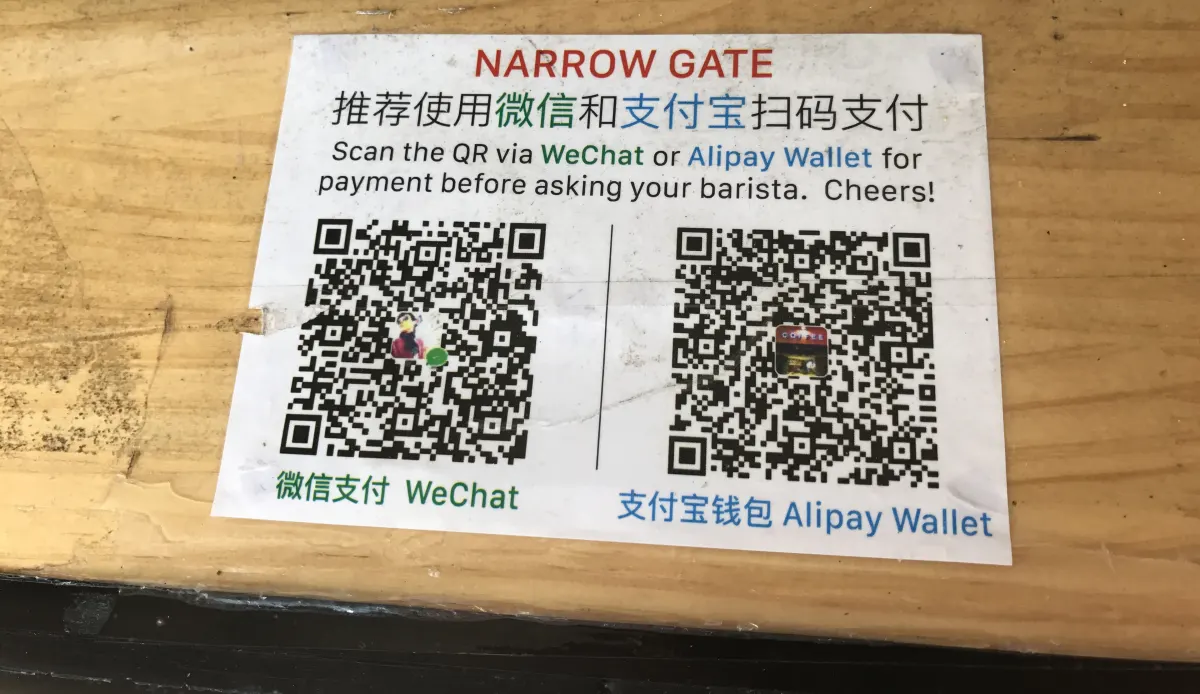
In China almost everyone pays with their phone, through Alipay or WeChat Pay, from big stores to street stalls and taxis. Visitors can use both with a card from home, and setting them up before you go makes travelling much easier.
What they are
- Alipay (支付宝) is a payment app. It's the easier of the two for visitors: it's in English, takes foreign cards readily, and has extras built in, such as booking a DiDi taxi, metro QR codes in many cities, and a translator.
- WeChat (微信) is China's main messaging app, with WeChat Pay built in. Hotels, guides and new friends will often want to message you on WeChat, so it's worth having even if you mostly pay with Alipay.
Most shops show both QR codes, so either will do. Having both set up means you have a back-up if one doesn't work.
Paying
There are two ways to pay, and the shop decides which:
- You scan their code: scan the shop's QR code with the app, type in the amount, and show the shop the screen when it's done.
- They scan your code: open your payment code in the app and hold it up to the shop's scanner. This is the usual way in supermarkets and chain stores.
You need an internet connection to pay, so get a local SIM, an eSIM or a roaming plan before you arrive.
Fees and limits
- When paying with a foreign card, payments of up to ¥200 have no fee, and payments over ¥200 have a 3% fee. The app shows any fee before you confirm. Your own bank may also charge for foreign currency.
- Visitors can pay up to US$5,000 at a time and US$50,000 a year with a foreign card.
- Small amounts work without ID, but you'll soon be asked to verify your passport, so it's easiest to do this when you set up.
Setting up Alipay
- Download Alipay from the App Store or Google Play before you leave home (Google Play doesn't work in China). It's the same app the Chinese use, and you can switch it to English.
- Sign up with your own mobile number. You'll be sent a code by text, so have your phone with you.
- Add your card: Visa, Mastercard, American Express, JCB, Diners Club and Discover cards can all be used.
- Verify your identity when asked: enter your passport details, take a photo of the photo page, and do a quick face scan.
- Make a small payment early on to check it all works.
Setting up WeChat Pay
- Download WeChat from the App Store or Google Play, and sign up with your mobile number.
- New accounts are sometimes asked to have an existing WeChat user scan a code to vouch for them. If you know someone who uses WeChat, sign up before you leave, when they can help.
- Go to Me, then Services (or Pay), then Wallet, and add your card.
- Verify your passport when asked, as for Alipay.
Good to know
- Use a credit card if you can, and tell your bank you're travelling. A card that's blocked for a foreign payment is the most common reason a payment fails.
- Keep some cash in small notes as a back-up. Cash is still legal tender and should be accepted, but many small places rarely see it and may not have change.
- Hotels, big attractions and many large shops also take foreign Visa and Mastercard cards directly.
- A foreign card is for paying for things: you usually can't use it to send money to friends or top up a balance.






Comments
No comments yet.